UNO Wonder
Mattel Game Studios HK LimitedCard
4.41.44K Reviews
- Version
- 1.6.1573
- Installs
- 10.00M
- Age Rating
- Everyone
Screenshots
Our Review of UNO Wonder
 Analysis by Appyee
Hey there, card game lovers! If you're anything like me, you've spent countless hours enjoying the classic UNO game with friends and family. Now, imagine that beloved game, but with a modern twist. That’s right, I’m talking about UNO Wonder. Let’s dive into what makes this app a must-have on your smartphone.
Why the first few sessions make an impression
The appeal is easy to understand: UNO is familiar enough that I can start playing without studying a rulebook, while a phone makes a round convenient when I have a spare moment. The quick recognition of the cards and the rhythm of matching them are part of the pleasure. I can see this fitting into a short break or a relaxed evening when I want a game that asks for attention but not a long setup.
That convenience does not make it a substitute for every kind of UNO night. A phone game cannot reproduce the table talk, shared reactions, or house rules of a group sitting together. I’d choose the physical deck when the point is spending time face-to-face; I’d choose a mobile card game when I want a compact solo or online option. That distinction matters because the digital version is strongest when its own convenience is the reason to open it.
A Fresh Take on a Classic Game
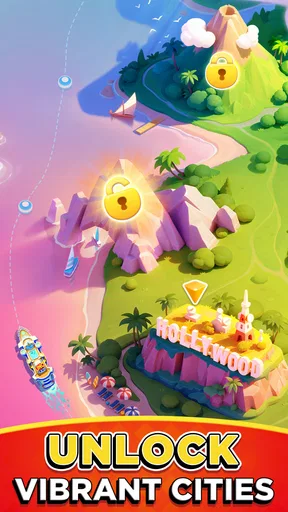
First off, UNO Wonder isn’t just a digital version of the classic card game; it’s a whole new experience. The app introduces a variety of new themes and modes that spice up the traditional gameplay we all know and love. From the moment you launch the app, you’re greeted with vibrant graphics and a user-friendly interface that promises fun right from the get-go.
Theme and Visuals
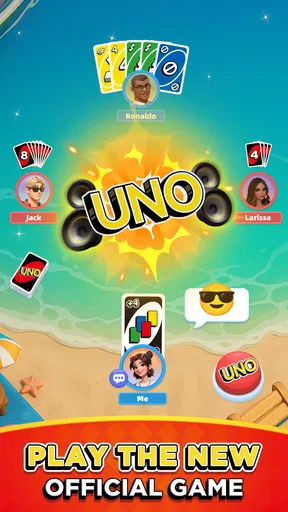
One thing that will immediately catch your attention is the colorful and engaging themes. Each theme is like a new world, offering unique backgrounds and card designs that make playing feel fresh every single time. Whether you’re in the mood for a tropical beach or a mystical forest, UNO Wonder has got you covered. The developers really nailed it with the aesthetics, making sure your gaming experience is as immersive as possible.
For me, the practical question with decorative variety is whether it helps me enjoy more rounds or simply looks nice at first. A themed background can make the screen feel less repetitive, but it cannot replace interesting decisions at the table. I’d treat visual customization as a pleasant change of scenery rather than a reason by itself to keep playing. If I’m trying to make a session last, I’d switch things up only when I’m ready for a visual refresh, not expect a new theme to change the strategy.
Game Modes Galore
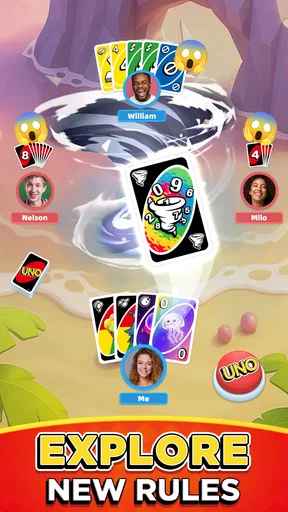
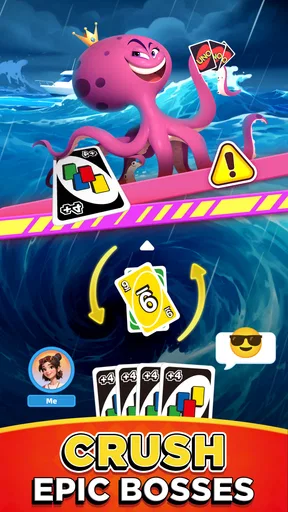
Now, let's talk about the game modes. Apart from the classic mode, which we can never get enough of, there are several new ways to play. Ever tried UNO with a twist? In UNO Wonder, you’ve got modes like "Time Attack," where you race against the clock, and "Mystery Cards," adding an element of surprise to every draw. These modes keep you on your toes and ensure you never fall into a gameplay rut.
The different pace is useful when I’m deciding how much attention I can give a round. A timed mode is a poor match for a distracted moment, since interruptions can make the pressure feel more irritating than exciting. A less hurried option is a better fit if I’m playing while waiting for something and may need to put the phone down. I’d choose deliberately rather than treating every mode as interchangeable: variety works best when it matches my mood and the time I have.
One small habit that helps with any card game is to pause before spending a strong card just because it is playable. I try to think about whether keeping it could matter more later, especially when the pace is quick or a surprise draw changes the situation. That kind of decision is where a familiar ruleset still has room for judgment; no theme or fast round can make the choice for me.
Multiplayer Magic
Playing against AI can be fun, but nothing beats the thrill of facing off against real people. The app’s online multiplayer feature lets you connect with friends or players from around the globe. The matchmaking system is smooth, ensuring you find a game quickly without any hassle. Plus, the in-game chat feature lets you exchange friendly banter or strategize with your teammates.
Online play is the feature I’d turn to when no one nearby is free for a game. It can make a familiar card game feel less solitary, but it also depends on other people being available and on everyone wanting the same kind of session. If I want a predictable, quiet break, a computer opponent may suit me better; if I want social unpredictability, human opponents are the point. I’d also keep chat optional in spirit: it can add personality, but I don’t need conversation to enjoy the cards.
Intuitive Controls and Smooth Performance
Ease of use is critical in mobile gaming, and UNO Wonder excels here. The controls are intuitive, so there’s no steep learning curve. Whether you're a seasoned pro or a complete newbie, you’ll find the game easy to navigate. Plus, the app runs smoothly without any noticeable lags or crashes, even during intense matches.
For a real everyday scenario, I’d open it during a short wait, play a round, and close it when my turn elsewhere arrives. That makes a mobile game’s interruptions and screen demands important: I would not start a timed round if I knew I might be called away, and I’d avoid beginning a multiplayer match when I couldn’t stay engaged. A calmer moment is better for learning the different modes, while a brief gap is best used for a familiar, low-pressure session.
It is also worth thinking about the setting. A bright, animated card table can be enjoyable when I’m focused on the screen, but less suitable when I’m trying to play discreetly or conserve attention in a busy place. I’d keep the session short if I’m already tired; quick decisions can stop feeling fun when I’m not in the mood to track the cards.
In-App Purchases and Unlockables
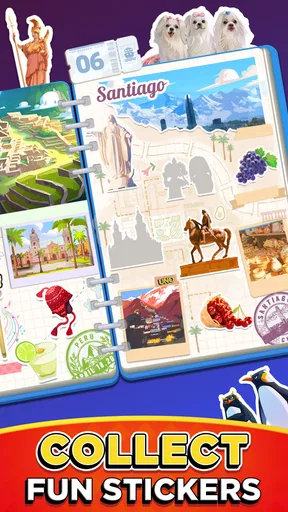
Let’s be real; who doesn’t like a little customization in their games? UNO Wonder offers a variety of in-app purchases and unlockables that let you personalize your experience. From unlocking new themes and card designs to purchasing power-ups that can give you a competitive edge, there’s plenty to keep you engaged. And while some might worry about pay-to-win scenarios, the game balances paid features with skill-based gameplay, so you’re never at a disadvantage if you choose not to spend a dime.
The game is free to download, though optional purchases range from $0.99 to $99.99 per item. I’d decide on a spending boundary before browsing any extras, particularly if customization is tempting but not essential to why I play. A useful test is to enjoy the basic loop first and ask whether a purchase would solve a real annoyance or simply add something decorative. If the latter is true, waiting is an easy way to avoid turning a casual pastime into a series of impulse buys.
That trade-off is relevant for families too. The age rating is Everyone, but a parent may still want to discuss optional spending before handing over a device. Free access is appealing, yet in-app purchase prompts can matter more to a child than they do to an adult. I would set expectations early rather than assume that a suitable age rating answers every question about how a household wants to handle purchases.
What keeps it in rotation—and what may wear thin
The longer-term question is whether the game earns a regular place on my phone after the first novelty fades. A familiar card game has an advantage here: I don’t need to relearn its basic appeal every time I return. Different themes and modes can help a session feel less samey, and multiplayer can provide a reason to come back when I want opponents rather than a solitary activity. That is a sensible source of recurring value, but it depends on whether I genuinely enjoy the rounds themselves.
There are limits to that staying power. If I mostly want the warmth of a real group, an app cannot provide the same shared atmosphere. If I dislike repeating a core card-game loop, changing the scenery may not be enough to hold my interest. And if timed pressure makes play feel like another task, I’d skip that mode rather than force myself to keep up. The best long-term routine is occasional play when I want this particular kind of quick competition, not opening it out of habit just because it is on my home screen.
Compared with other mobile card games, the clearest reason to choose this one is its connection to UNO: the rules and recognizable play are the draw, with digital modes and online opponents as added convenience. A broader card-game collection may be a better choice for someone who wants several unrelated games in one place. A physical deck wins for in-person gatherings, and a quieter single-player game may be better when I want no matchmaking or chat. The right alternative depends on whether I value familiar UNO play, variety across different games, or company around a table.
For a low-maintenance habit, I’d keep notifications and spending in perspective, open the game when I actively want a round, and stop when the session has done its job. That approach lets the convenience stay a benefit instead of turning play into an obligation. It also makes it easier to notice whether the app is still enjoyable after the first burst of curiosity.
User Experience and Feedback
The app has been well-received by users worldwide, boasting a strong rating in app stores. Gamers appreciate the blend of nostalgia and innovation, often praising the frequent updates that keep the game fresh and bug-free. It’s clear the developers are listening to feedback and continually working to enhance the user experience.
Mattel163 Limited is the developer, and the game has a 4.6 average from around 11,000 ratings, with more than 5 million installs. Those figures suggest that plenty of players have tried it, but they are not a guarantee that every match or feature will suit me. I’d look at the game’s actual feel—whether its pace, online play, and purchase options fit my preferences—rather than treating popularity as a personal recommendation.
For someone deciding whether to install it, the practical answer is straightforward: it is free to try, rated for Everyone, and needs Android 5.0 or later. The current version is 1.5.1671. I’d consider it a good fit for UNO fans who want a portable way to play, especially if they value online opponents and changes in presentation. I’d skip it if I’m specifically looking for a deep strategy game, a collection of unrelated card games, or the social atmosphere of a real table.
Long-term verdict
So, is UNO Wonder worth downloading? Absolutely! Whether you’re looking to relive some classic card game fun or explore new and exciting gameplay modes, this app offers something for everyone. Grab your phone, download the app, and let the card games begin!
My recommendation is a little more conditional: I’d give it a try if a familiar UNO round is exactly what I want, then judge it by whether I still choose it once the colorful first impression wears off. It has a clear role as a convenient, repeatable card game, but it does not need to become a daily routine to be worthwhile. For me, the lasting value comes from opening it when I want a quick match or an online opponent, and choosing something else when I want a different kind of play.
Privacy and Permissions
See what permissions an app requests and how it handles your data.
- Device & app history
- read sensitive log data
- Phone
- read phone status and identity
- Wi-Fi connection information
- view Wi-Fi connections
- Device ID & call information
- read phone status and identity
- Other
- view network connections, full network access, run at startup, control vibration, prevent device from sleeping, Google Play license check
Verdict
Strengths of UNO Wonder
- Engaging gameplay with vibrant graphics.
- Simple controls suitable for all ages.
- Multiple game modes for varied fun.
- Regular updates with new features.
- Strong online community for multiplayer.
Limitations of UNO Wonder
- Requires constant internet connection.
- Ads can be intrusive at times.
- In-app purchases can be pricey.
- Limited offline gameplay options.
- Initial loading time can be slow.
Other Releases by Mattel Game Studios HK Limited
View All

Phase 10: Casual Card Game
Card4.7
Similar Picks in This Category
View All
Solitaire - Classic Card Games
MobilityWare4.6

UNO!™
Mattel163 Limited4.3

Spider Solitaire: Card Games
MobilityWare4.6

Solitaire.com - Classic Cards
Tripledot Studios Limited4.7

Plants vs. Zombies™ Heroes
ELECTRONIC ARTS4.1

Hearthstone
Blizzard Entertainment, Inc.4.1
Frequently Asked Questions
What is UNO Wonder and how does it differ from traditional UNO?
UNO Wonder is a digital adaptation of the classic card game, UNO, available on both Android and iOS platforms. It introduces new game modes, customizable rules, and interactive animations that enhance the traditional gameplay experience. Unlike the classic version, UNO Wonder includes online multiplayer capabilities, allowing players to connect with friends or challenge opponents globally.
Can I play UNO Wonder offline?
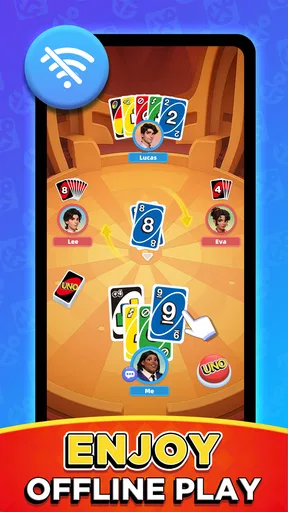
Yes, UNO Wonder offers both online and offline modes. In offline mode, you can play against AI opponents, which is perfect for times when you don't have internet access. However, to enjoy features like online multiplayer and leaderboards, an internet connection is required.
Are there any in-app purchases in UNO Wonder?
UNO Wonder includes in-app purchases that allow players to buy additional card packs, themes, and power-ups. While the basic game is free to play, these purchases can enhance the gaming experience by providing more customization options and gameplay features. However, these are entirely optional and not necessary to enjoy the core game.
Is UNO Wonder suitable for children?
UNO Wonder is designed to be family-friendly and is suitable for players of all ages. The intuitive interface and simple rules make it easy for children to learn and enjoy. However, parents should be aware of in-app purchases and online interactions, ensuring that appropriate settings are in place for younger players.
How can I resolve technical issues with UNO Wonder?
If you encounter technical issues with UNO Wonder, first ensure that your device meets the app's system requirements and that you have the latest version installed. Restarting your device or reinstalling the app can often resolve minor glitches. For persistent issues, visit the app’s support page or contact customer service for further assistance.
Play our best games!


